



.avif)

What Is Performance Support, And Why Should You Use Performance Support Tools?


Summary
Performance Support Tools (PSTs) bridge the gap between formal training and on-the-job execution by providing "just-in-time" assistance. By integrating these tools into the daily workflow, organizations can combat the "Forgetting Curve," reduce training costs, and significantly boost employee productivity.
The 70:20:10 model for Learning and Development establishes the need for L&D teams to focus on informal learning. This article delineates the importance of Performance Support Tools (PSTs) and elucidates how they can elevate learning experience.
What Are Performance Support Tools (PSTs)?
Performance Support Tools (PSTs) are specialized tools designed to provide immediate, on-demand assistance to employees while they work. These tools are an integral part of a Performance Support System, offering specific features to enhance learning and improve task execution efficiency. Here's a quick overview:
- Just-in-Time Information:
PSTs deliver relevant information and guidance precisely when it's needed in the work process. - Diverse Formats:
They include a variety of formats such as quick reference guides, step-by-step tutorials, FAQs, and instructional videos. - Interactive Learning:
Many PSTs offer interactive elements like simulations or walkthroughs for hands-on learning. - Personalization:
Tools can often be customized to individual learning styles and job roles. - Analytics and Feedback:
They provide feedback and data analysis to measure effectiveness and user engagement. - Easy Integration:
PSTs are designed to integrate seamlessly with existing work systems and workflows.
In contemporary workplaces, PSTs play a critical role by fostering continuous learning and improving work performance, circumventing the necessity for conventional formal training sessions.
Why Should You Use Performance Support Tools?
According to the 70:20:10 model for Learning and Development, we learn:
- 70% from on-the-job experiences (experiential learning).
- 20% from interactions with others (social learning).
- 10% from formal (structured learning).
As indicated by this model, organizations must prioritize informal and social learning aspects to successfully fulfill their learning mandates.
Let’s first understand what exactly Performance Support Tools are and why you should invest in them.
What Is the Role of Performance Support Tools?
Performance Support Tools are instrumental in facilitating a more effective and efficient learning experience. Here's a concise overview of how they assist in the learning process:
- Immediate Access to Information:
PSTs offer quick access to necessary information, reducing delays in task completion. - Enhanced Learning Retention:
By providing information in the context of the task, they help in better retention of knowledge. - Reduced Learning Curve:
Simplifying intricate tasks, they facilitate a clearer understanding and execution for learners. - Customizable Learning Experience:
PSTs can be tailored to individual learning styles and needs, enhancing the overall learning experience. - Continuous Learning Support:
They offer ongoing support, aiding in continuous learning and skill development. - Performance Tracking:
Many PSTs include features to track progress and provide feedback, facilitating ongoing improvement in learning and performance.
What Is the Difference Between Performance Support Tools and Traditional Training?
Performance support and traditional training events differ in approach and timing. Here's a brief comparison:
- Timing of Delivery:
Performance support is provided at the moment of need during work, while training events are scheduled sessions, often separate from actual work tasks. - Focus:
Performance support is task-specific, aiming to solve immediate problems. Training events offer broader knowledge and skills development. - Method of Learning:
Performance support involves learning in the flow of work, often through interactive tools. Training events typically use more structured, formal teaching methods. - Duration:
Performance support is brief and targeted, whereas training events are longer and cover more comprehensive topics.
These differences highlight the unique roles both play in employee development and organizational learning strategies.
Use Cases of Performance Support Tools
Performance Support Tools are easily available and usually embedded directly into the learners’ workflow helping organizations provide the required task support and boost the productivity quotient of their employees.
Specifically:
- They are a great fit for informal learning.
- They can also be used to support formal training to improve the stickiness of learning and its eventual application on the job.
- PSTs accelerate learning as they are part of the learner’s workflow and are available precisely at the time of their need. They are designed to be easy to assimilate and easy to apply.
- You can integrate microlearning-based strategies to create them and see the application levels zoom.
- Couple them with platforms for social learning and you will see the impact of your training multiply.
Why Does It Make Business Sense for Organizations to Invest in Performance Support Tools?
We forget 80% of what we learned in 30 days as shown in this diagram featuring the “Forgetting Curve” by Herman Ebbinghaus, a German Psychologist.
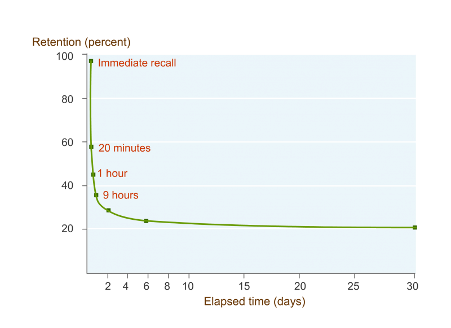
Formal learning, as you may be aware, takes place for a few days in a year. Now view this from the prism of the Forgetting Curve and you’re bound to have second thoughts about your investments in using only formal training to make the kind of impact you’d like on your learner performance.
What Are the Benefits of Performance Support Tools?
Performance Support Tools offer significant benefits for both learners and organizations:
For Learners:
- Enhanced Learning Efficiency:
PSTs provide immediate, relevant information, leading to faster and more effective learning. - Flexibility in Learning:
Granting learners access to support as needed, accommodating diverse schedules and learning preferences. - Improved Retention:
Information received in the context of a task tends to be better retained.
For Organizations:
- Increased Productivity:
Employees spend less time seeking information, leading to more efficient work processes. - Cost-Effective Training:
By diminishing the necessity for prolonged training sessions, PSTs effectively curtail training expenditures. - Better Performance Monitoring:
Organizations can track employee progress and identify areas for improvement through analytics provided by PSTs.
Overall, PSTs contribute to a more agile, informed, and efficient workforce, aligning learning with the immediate needs and goals of both individuals and the organization.
How Do You Implement Performance Support Tools?
A great way to address this challenge is to have a blend of both formal and informal training and offer a solution that treats “learning as a continuum.”
Here’s what you can do:
- Ascertain the portions from your formal training program that you want your learners to remember, check, refer, or apply and use PSTs to reinforce those messages.
- Design your PST nuggets to be stand-alone assets aligned to specific learning outcomes.
- Weave your training nuggets into a “learning path” and keep the knowledge thread relevant and in an appropriate order over the course of your identified training period.
- Combine the power of reinforcement with new assets for higher recall, retention, and application of the knowledge gained on-the-job.
The result? You’ll be able to see a dip in your formal training costs and an increase in learner productivity and performance.
What Are the Different Formats of Performance Support Tools You Can Use?
There is no dearth of options when it comes to offering Performance Support Solutions. At EI, we offer Performance Support Tools in various formats, including:
1. Mobile Apps:
Mobile Apps and just-in-time information go hand in hand. They are an ideal way to offer Performance Support at the time of learners’ need – anytime, anywhere.
2. Videos and Interactive Videos:
If you had to unpack and start operating your brand new camera and you’re not sure how to go about it, what would you choose – leafing through the manual or a three-minute YouTube video? Most modern-day learners opt for the latter. All the more reason for you to leverage videos and interactive videos to offer Performance Support when your learners are stuck and need help!
3. Decision-Making Scenarios:
Learners keep encountering complex situations at work. You can make their life easier through short branching scenarios helping them practice their way out of tough situations and take decisions in a risk-free environment to bring about the application of learning on the job.
4. Whiteboard Animations:
Animations and illustrations help you say things you would otherwise find difficult to convey. Their innate ability to incite the lighter side in your learners goes a long way in conveying important messages and long-term retention of that information.
5. Kinetic Text/Animations:
True, a picture speaks more than a thousand words. But you don’t need a thousand words every time to say what you want to say. Sometimes, just a few words do the job – especially when they’re set in motion and animated. If text is all you’ve got and the concept you want to convey is not that easy to visualize, Kinetic Text/Animation is what you should be looking at. You can club it with background music or a voice over and the impact will be there for you to see.
6. Interactive PDFs:
Got information locked in lengthy documents? You can convert them into interactive PDFs, provide user-friendly navigation, and add some visual appeal to please the eye. They’re a great format to help learners go through factual and knowledge-based information quickly and easily. Using this format, you can offer your learners tips, fact sheets, checklists, practical forms, participant guides, processes, and procedure documents.
7. eBooks:
You can convert your documents into HTML5 compatible eBooks and make them multi-device compatible. They can also be converted as SCORM packages. You can package key information in your eBooks in the form of key takeaways from a training program, participant guides, processes, and procedure documents.
8. Expert Videos, Webinars/Recorded Webinars:
Experts carry that aura around them, don’t they? Irrespective of whether it’s a classroom tutor, eLearning guide, or workplace mentor, learners treat them with respect and value their insights. You can offer Performance Support to your learners in the form of expert videos and videos of webinar recordings. You can also track your learners’ performance through assessments with SCORM packaging.
9. Webcast/Podcasts:
These are short episodes of audio or video that learners can download on their device and watch/listen to when traveling, waiting for an appointment, or any other occasion to kill time. They find a lot of takers as they are brief and entertaining. You can use these formats to offer Performance Support at the time of learners’ need as they can be watched/listened to on-the-go.
How Do You Make Performance Support Tools Available for Your Employees?
To effectively make PSTs available for your employees:
- Assess Needs: Identify the specific needs and tasks where employees require support.
- Choose Appropriate Tools: Select PSTs that align with these needs, considering different learning styles and job roles.
- Ensure Accessibility: Make sure the tools are easily accessible, ideally integrating them into existing digital work environments.
- Provide Training: Offer initial training or guidance on how to use these tools effectively.
- Encourage Usage: Create a culture that encourages the regular use of these tools for on-the-job support.
- Gather Feedback: Regularly collect employee feedback to continuously improve and adapt the tools to evolving needs.
5 Examples of Performance Support Tools
Here are 5 innovative examples that will provide the required insight on how you could boost your workforce performance with Performance Support Tools.
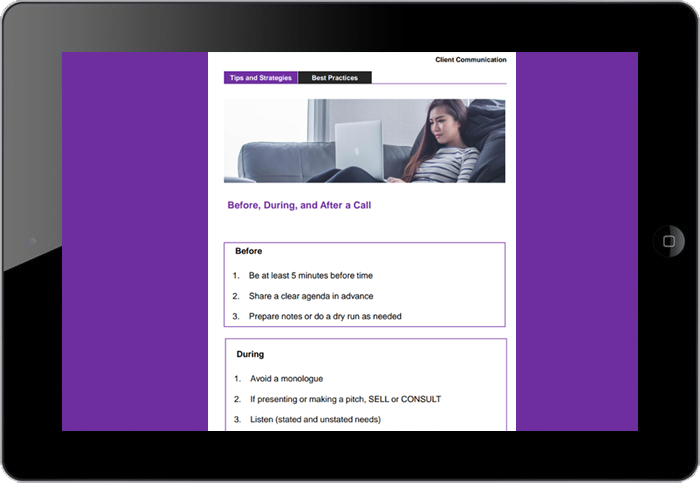
Example 1: Performance Support Tools for Interactive PDF
This example is an interactive participant handout that condenses 2 hours of training into a crisp iPDF. Instead of a linear walkthrough, learners can seamlessly navigate through the intuitive buttons to quickly access the desired information.
Example 2: Performance Support Tool eBook (HTML5 compatible)
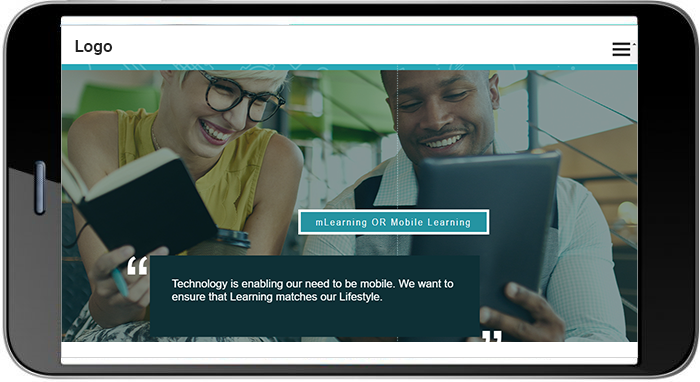
This format provides identical features as the Interactive PDF but provides extensions of SCORM packaging. Due to this, organizations get the added advantage of being able to track the learners’ usage, which is not possible with the Interactive PDF.
Example 3: Performance Support Tools for Kinetic Text/Animations
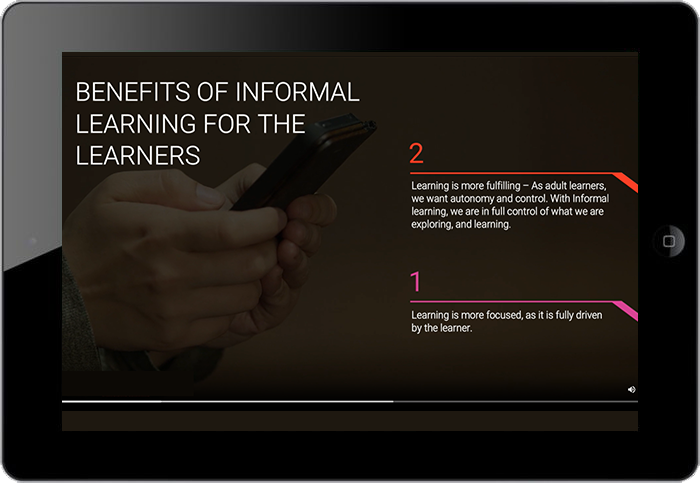
Sometimes, simplicity speaks for itself. This example showcases the use of Kinetic text to explain the Benefits of Informal Learning. The use of typography, animation, and simple sound effects or voice over can create an immersive experience.
Example 4: Performance Support Tools for Whiteboard Animations
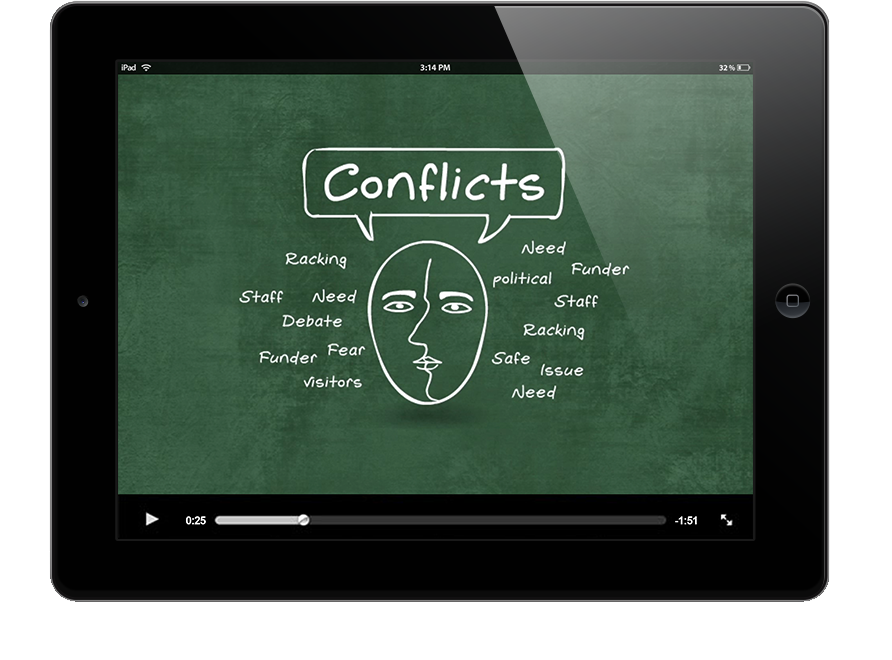
This example featured here showcases its effectiveness in complementing a compliance course (on conflict management). Simple illustrations (that use real-life scenarios) and concise audio drives the message very effectively.
You can also look at the course on the same subject from our online suite of courses on Generic Compliance.
Example 5: Performance Support Tools for Videos
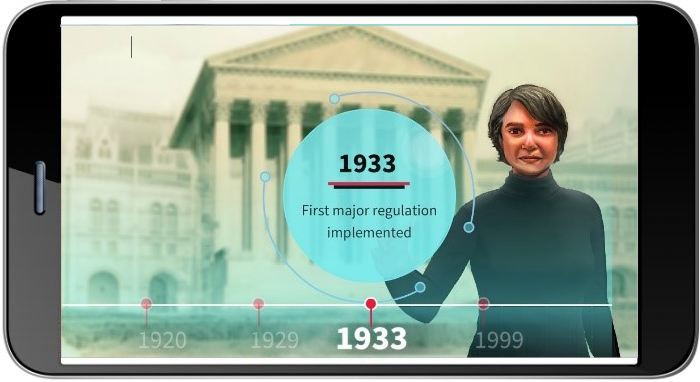
This example features a video with real-life caricature illustrations of leaders and animations to simplify financial concepts. It was leveraged as a reinforcement asset post the completion of an eLearning course.
In conclusion, embracing Performance Support Tools aligns with the evolving landscape of learning and development, emphasizing the importance of informal learning and skills-based organizational culture. By leveraging innovative approaches and diverse formats, organizations can foster continuous learning, enhance productivity, and optimize workplace performance.

subscribing!
Related articles


.jpg)