






.avif)

How to Create Effective eLearning Content That Drives Engagement and Performance


Summary
A strategic 6-step framework for creating eLearning content that moves beyond completion rates to drive real-world performance. By blending diverse formats—from interactive videos to AI-powered simulations—organizations can create emotionally resonant, data-backed learning journeys that align with business growth.
Many organizations invest heavily in digital training, yet engagement and performance often fall short. The issue isn’t technology, it’s the content.
Effective eLearning content creates connection, context, and curiosity, helping learners see the “why” behind what they’re learning.
For L&D leaders, the challenge is to design content that not only engages but also drives measurable outcomes, boosting performance, productivity, and retention.
This article explores how to create eLearning content that inspires action, enhances learning effectiveness, and aligns every module with business impact.
TL;DR
- Content That Drives Performance: eLearning content is effective only when it connects learning outcomes to business goals, not when it’s built for completion rates.
- Learner-Centric Approach: Great content speaks to the learner’s context, challenges, and motivations, turning information into meaningful application.
- Smart Use of Technology: AI, microlearning, and immersive formats like AR/VR amplify engagement and retention when used with purpose, not as trends.
- Design for Experience, Not Delivery: Storytelling, interactivity, and real-world scenarios make learning emotionally engaging and cognitively relevant.
- Impact That Lasts: When done right, eLearning content transforms from a training asset into a performance enabler that strengthens engagement, retention, and culture.
What Corporate eLearning Content Really Is
Corporate eLearning content refers to digital learning experiences intentionally designed to build skills, change behaviours, and enhance on-the-job performance. In today’s workplace, it’s no longer just slides, videos, or quizzes; it’s a strategic tool for developing talent at scale.
Effective eLearning is created to close performance gaps, accelerate capability building, and drive measurable business outcomes. It can take many forms, from microlearning and gamified modules to simulations, scenario-based learning, and performance support tools.
What makes eLearning content impactful isn’t the format, it’s how effectively it:
- Solves a real workplace challenge,
- Engages learners through relevance, context, and empathy, and
- Reinforces learning through practice, feedback, and application.
In essence, eLearning content isn’t about delivering information; it’s about enabling transformation. When grounded in learner-centric design and supported by data-driven insights, it becomes a powerful driver of behaviour change, capability growth, and sustained performance across the organisation.
Also Read: Strategies to integrate Informal learning in workplace and increase the impact of eLearningthe
Why High-Quality eLearning Content Matters for Business Impact
In most organizations, learning content is abundant, but impact is inconsistent. The gap lies in design. Too often, eLearning focuses on information delivery instead of enabling real performance outcomes.
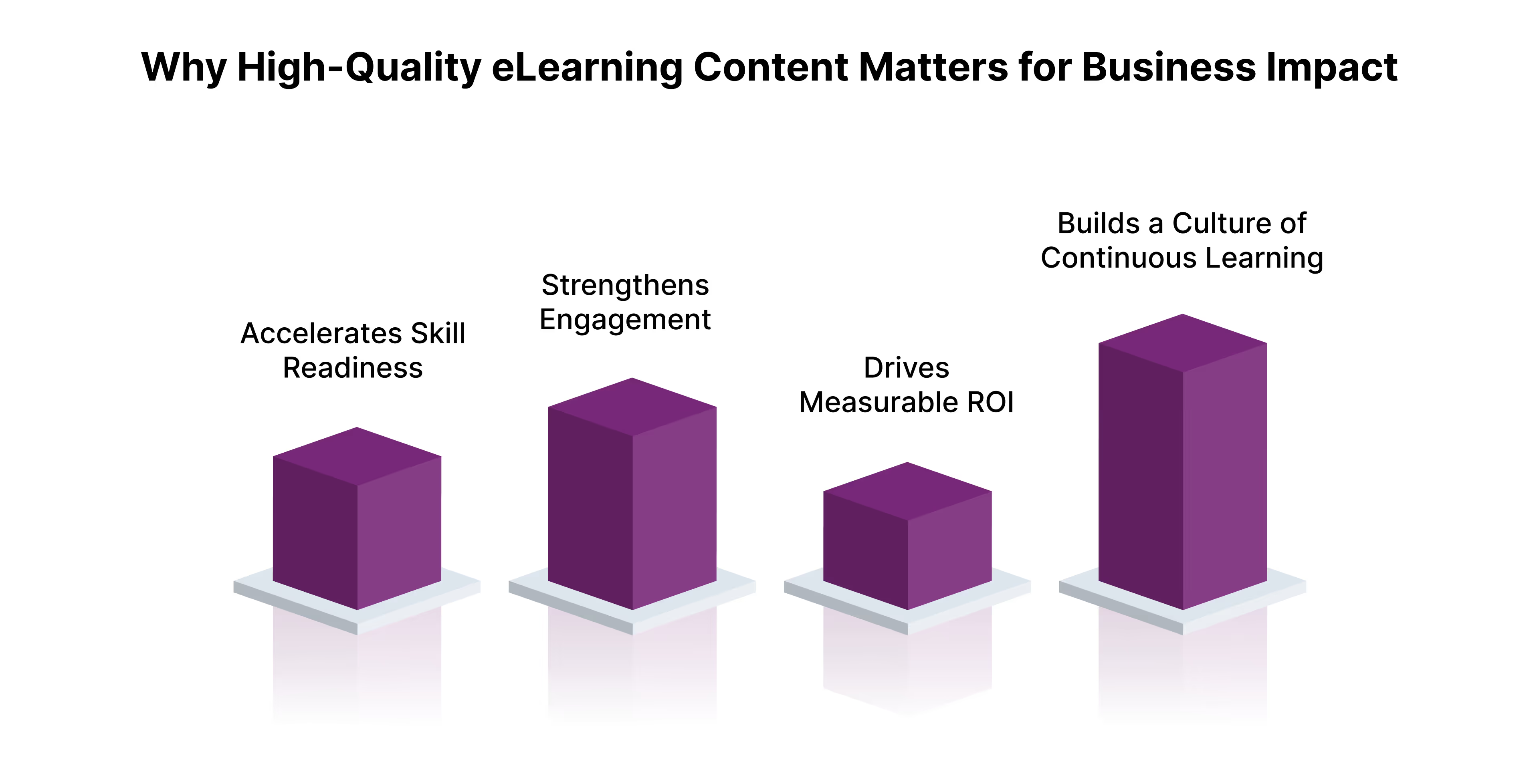
High-quality eLearning content bridges that gap. It translates learning into measurable business value by doing three key things:
1. Accelerates Skill Readiness
When content is relevant and contextual, employees can apply what they learn faster. This shortens ramp-up time for new hires, accelerates capability development, and ensures that learning directly supports role performance.
2. Strengthens Engagement and Retention
Employees engage when learning feels personal, purposeful, and practical. Well-designed eLearning content integrates storytelling, microlearning, and interactivity to spark curiosity, making learning both enjoyable and effective.
3. Drives Measurable ROI
Strategic learning content aligns with business goals. By mapping learning objectives to performance metrics, organizations can track improvements in productivity, customer satisfaction, and overall operational efficiency.
4. Builds a Culture of Continuous Learning
High-quality eLearning content extends beyond one-time training. It creates ongoing opportunities for growth, reinforcing learning through digital job aids, micro-challenges, and performance support tools that fit naturally into the workflow.
When designed intelligently, eLearning content becomes a strategic enabler, connecting learning to purpose, performance, and long-term business growth.
Next, let’s explore how to create eLearning content that engages learners and drives measurable results.
Also Read: 5 Tips to Design eLearning to Match Different Learning Styles
How to Create Engaging eLearning Content
Building effective eLearning content is both a science and an art. It requires structure, empathy, and a clear link between learning outcomes and business performance.
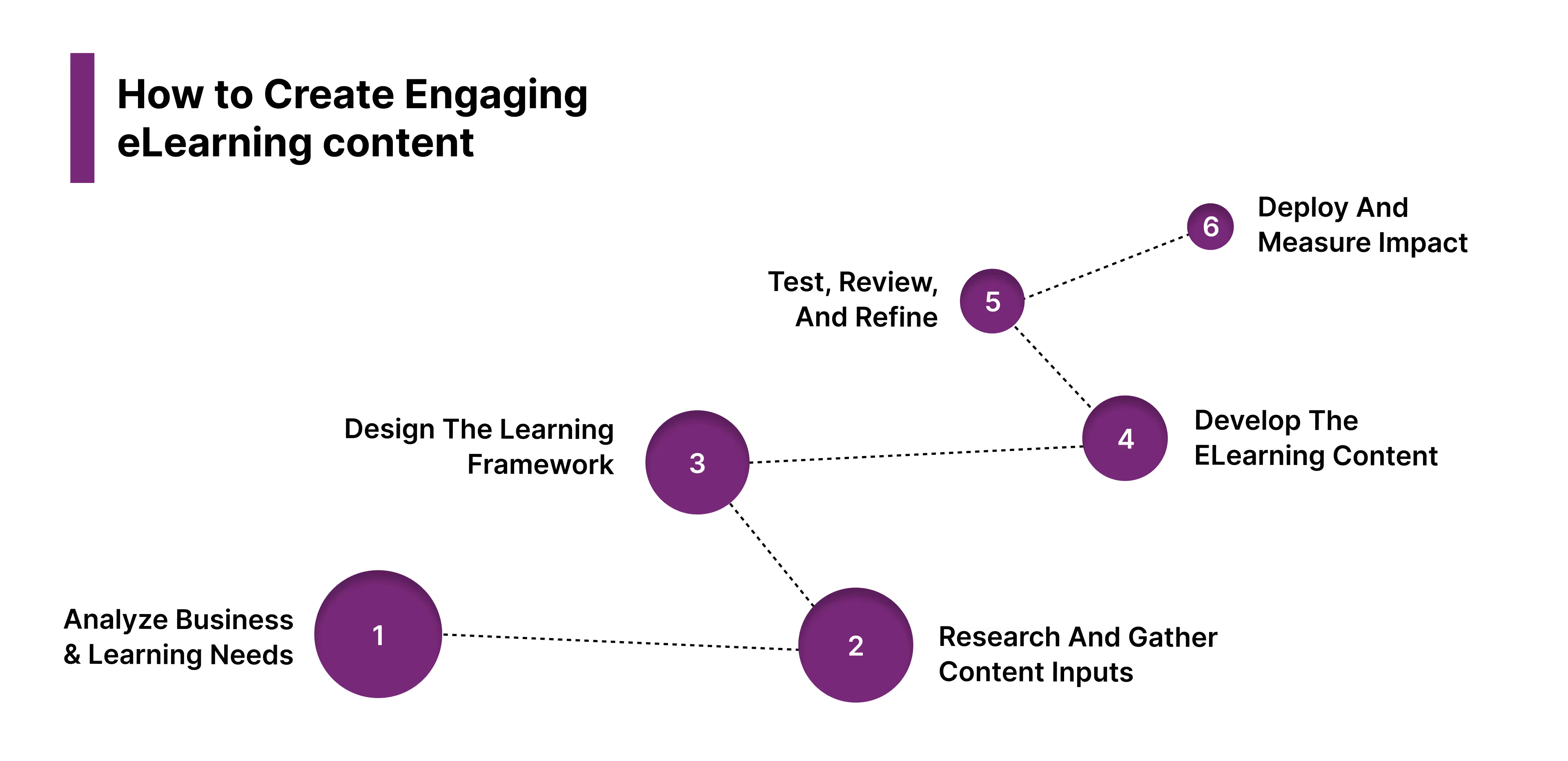
Here’s a practical, step-by-step process to create eLearning content that engages learners and drives measurable results.
Step 1: Analyze Business and Learning Needs
Start by defining the why. Identify what problem the training is solving: is it a skill gap, a compliance requirement, or a performance challenge?
Conduct a training needs analysis by:
- Talking to stakeholders to define desired business outcomes.
- Reviewing performance data and learner feedback.
- Identifying what learners need to know, do, or feel differently after training.
This step ensures your eLearning content is built on purpose, not assumptions.
Step 2: Research and Gather Content Inputs
Once goals are defined, gather accurate, relevant material. Collaborate with subject matter experts (SMEs), team leaders, and learners themselves to collect inputs that reflect real workplace scenarios.
At this stage:
- Conduct SME interviews to extract critical knowledge.
- Audit existing materials, manuals, recordings, and policies to reuse what’s relevant.
- Curate external research or case studies where needed.
Filter all content against your learning objectives; if it doesn’t drive the goal, leave it out.
Step 3: Design the Learning Framework
Now, translate the insights into a structured learning journey. Start by creating a storyboard or course map that defines:
- Learning objectives and outcomes.
- Module structure (introduction, content, practice, assessment).
- Content format (text, video, quiz, simulation).
- Tone, narrative style, and user flow.
Design with the learner in mind, short modules, simple navigation, and real-world context.
Step 4: Develop the eLearning Content
Once your structure is clear, it’s time to build. Use authoring tools like Articulate Rise, Storyline, or EI’s proprietary design platforms to create the content.
Include these key elements:
- Introduction: Set context and objectives.
- Main Content: Use text, visuals, scenarios, or micro-videos to explain key ideas.
- Practice Activities: Add decision-making simulations, quizzes, or drag-and-drop exercises for application.
- Knowledge Checks: Include quick assessments after each section.
- Summary and Resources: Wrap up with takeaways, reflection prompts, and additional materials.
Step 5: Test, Review, and Refine
Before rollout, test the course with a small group of learners and stakeholders. Gather feedback on clarity, engagement, and usability.
Check for:
- Logical flow and ease of navigation.
- Accuracy of information.
- Emotional engagement and learner satisfaction.
- Accessibility and mobile compatibility.
Iterate based on feedback before scaling.
Step 6: Deploy and Measure Impact
Upload the final content to your learning management system (LMS) or digital platform. Define success metrics upfront, such as completion rates, assessment scores, performance metrics, or feedback surveys.
Track progress and gather data to evaluate learning impact. Use analytics and pulse surveys to improve content quality and relevance continuously.
When approached methodically, eLearning content becomes a scalable learning experience that drives real performance change.
Next, let’s look at the different types of eLearning content and when to use them to achieve specific learning goals.
Types of eLearning Content and When to Use Them
eLearning content can take many forms, each serving a different purpose in the learning journey. The right mix of content types helps you engage diverse learners, simplify complex topics, and connect learning directly to performance.
If a training course feels confusing or fails to hold attention, the issue often lies in how the content is designed, not just what it covers. Understanding the strengths of each format helps you build learning experiences that are both engaging and effective.
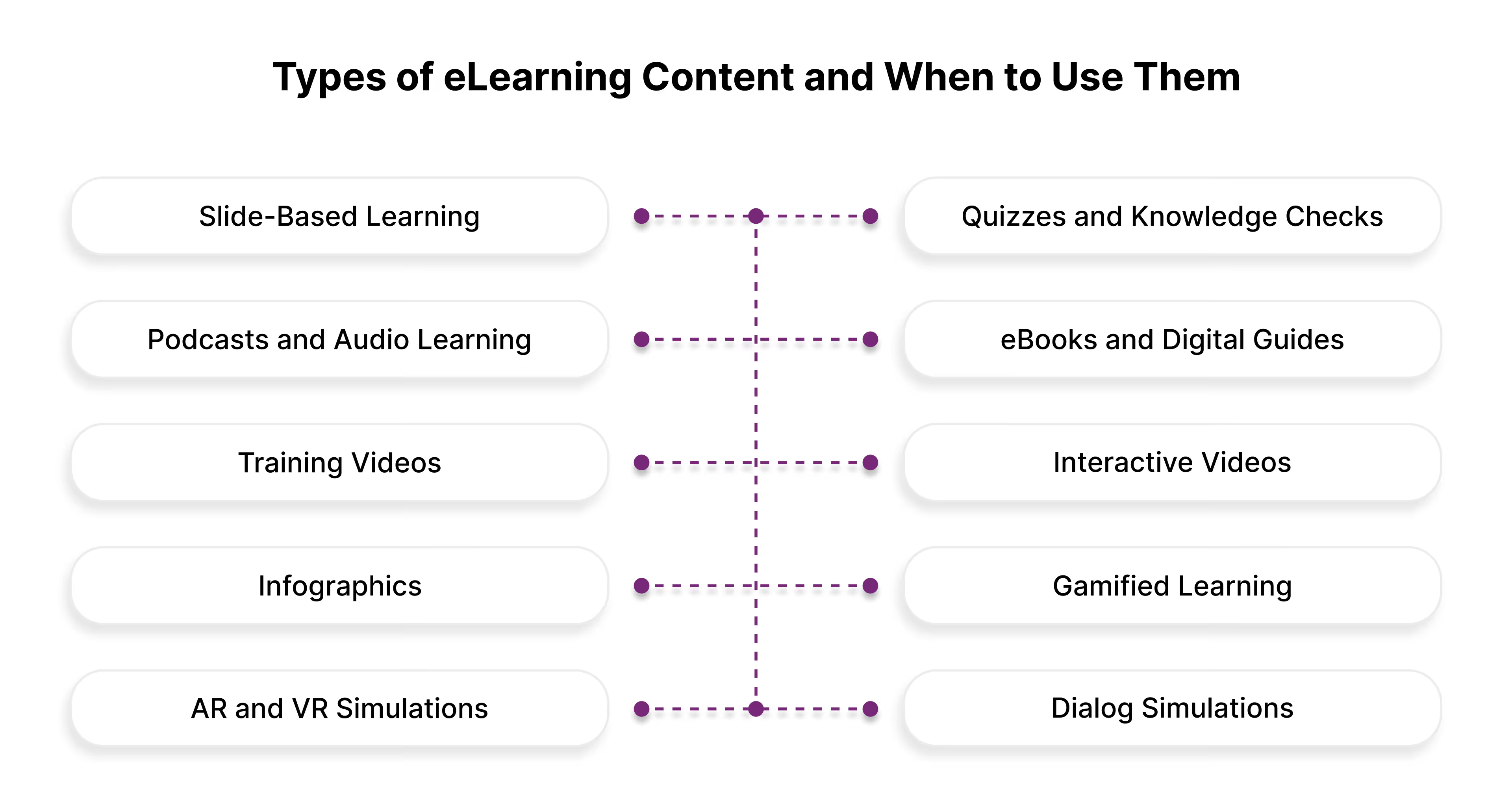
Here are the most widely used types of eLearning content and when to use them.
1. Slide-Based Learning
Slide presentations are one of the most familiar and structured forms of eLearning content. They organize information clearly using text, images, and visuals. Popular authoring tools like PowerPoint, Storyline, and Rise make it easy to create slide-based courses that learners can progress through at their own pace.
These are often used for compliance, process, or introductory training programs where consistency and clarity are key. To enhance engagement, slides can include voiceovers, embedded videos, or brief interactive elements such as hotspots or clickable graphics.
For instance, a compliance module might use a slide deck to explain key regulations, supported by case-based examples and quick knowledge checks.
Pros: Structured, easy to build, visually clear Cons: Can feel static without interaction When to use: Foundational learning, compliance training, policy overviews, or product knowledge
2. Quizzes and Knowledge Checks
Quizzes are an integral part of eLearning design; they test understanding, reinforce key messages, and encourage knowledge retention. They can take the form of multiple-choice questions, drag-and-drop exercises, or short scenario-based interactions.
When placed throughout the course, quizzes help learners actively recall information and identify knowledge gaps. Modern learning systems can also use adaptive quizzes that adjust question difficulty based on learner performance.
For example, in a product training course, a short quiz after each module helps learners test recall before moving to more complex product features.
Pros: Reinforces learning, measures retention Cons: Can be repetitive if not varied When to use: Assessments, knowledge validation, microlearning reinforcement
3. Podcasts and Audio Learning
Podcasts make learning accessible and flexible, making them ideal for today’s hybrid workforce. They allow employees to consume content while commuting, exercising, or multitasking.
Podcasts work well for leadership, culture, or thought leadership topics that benefit from a conversational, reflective tone. They can feature expert interviews, storytelling, or internal discussions to share insights across teams.
For example, a company might use a leadership podcast series where senior leaders discuss real experiences in managing change or building inclusion.
Pros: Portable, accessible, cost-effective Cons: Lacks visual engagement When to use: Leadership development, culture-building, or reflective learning
4. eBooks and Digital Guides
eBooks provide an in-depth, text-based learning experience. They are suitable for learners who prefer reading and reflection over interactivity.
They often serve as supplementary materials, allowing learners to explore topics in more detail. eBooks can include visual elements, embedded media, and hyperlinks for additional reading.
For example, an onboarding program might include an interactive eBook covering company history, culture, and key leadership messages that employees can revisit anytime.
Pros: Comprehensive, reusable, ideal for reference Cons: Limited interactivity When to use: Leadership, product training, policy guides, or extended reading
5. Training Videos
Training videos are one of the most engaging ways to deliver learning. They can demonstrate real-world procedures, model behaviors, or tell stories that connect emotionally with learners.
Videos work especially well when learners need to see how something is done — such as operating equipment, handling customers, or applying soft skills.
For example, healthcare organizations use video-based modules to show patient-handling procedures, while corporate teams use scenario-based videos to demonstrate effective communication.
Pros: Highly engaging, strong visual storytelling Cons: Costlier to produce and update When to use: Skill-based training, product demonstrations, behavioral learning
6. Interactive Videos
Interactive videos transform passive watching into active learning. They allow learners to click, choose, or respond during the video, creating branching scenarios or in-video quizzes.
This type of content immerses learners in real decision-making situations, showing consequences for their choices. It’s particularly effective in leadership, customer service, or safety training.
For instance, a retail organization might use an interactive video where employees choose how to handle customer complaints, seeing different outcomes for each response.
Pros: Immersive, practical, feedback-driven Cons: Requires more design effort. When to use: Customer service, sales, leadership, or compliance simulations
7. Infographics
Infographics are perfect for summarizing complex data or processes in a visually digestible format. They break information into simple visuals, helping learners quickly grasp patterns, steps, or comparisons.
They can be used as standalone learning aids or integrated within larger eLearning modules for quick reference.
For example, an HR team could use an infographic to illustrate the steps in the performance review process or summarize key metrics from a leadership program.
Pros: Visual, quick to understand Cons: Limited depth When to use: Pre-learning engagement, performance support, or course recaps
8. Gamified Learning
Gamified learning uses game mechanics, such as points, levels, and badges, to make learning interactive and motivating. It creates a sense of progress and achievement while promoting knowledge retention through play.
For instance, a sales team might use a gamified module that rewards learners for completing scenario-based challenges or hitting learning milestones.
Gamification works best when applied thoughtfully, ensuring game mechanics reinforce learning objectives rather than distract from them.
Pros: Motivating, engaging, great for repetition Cons: Requires careful design to stay meaningful When to use: Sales enablement, compliance, or process mastery
9. AR and VR Simulations
Augmented Reality (AR) and Virtual Reality (VR) bring learning to life through immersive, hands-on experiences. Learners can practice real-world tasks in a safe, controlled environment.
For example, manufacturing firms use VR to train employees on operating machinery without risk, while retail teams use AR to simulate customer interactions.
These experiences not only build confidence but also shorten the time from learning to performance.
Pros: Immersive, realistic, impactful Cons: High cost and setup effort When to use: Safety training, technical skill development, or leadership experiences
10. Dialog Simulations
Dialog simulations replicate real conversations and decisions learners face in the workplace. They’re designed for soft skills development, where empathy, tone, and choice matter.
For example, a dialog simulation might guide a new manager through coaching an underperforming team member, with branching options leading to different outcomes.
This type of content helps learners build confidence, practice decision-making, and experience the consequences of their actions in a risk-free setting.
Pros: Realistic, develops critical thinking and empathy Cons: Complex to design well When to use: Leadership, customer service, coaching, or conflict management
With the types covered, it helps to understand how to choose the right combination of these formats.
Selecting the Right Mix of eLearning Content
Effective eLearning isn’t about choosing one format; it’s about using the right mix to meet different learning goals.
Your goal is to move learners from awareness to application by blending formats that inform, engage, and reinforce performance.
1. Start with the goal
Define what learners should do differently after training. Then match content to the learning stage.
2. Match Format to Audience
Choose formats that fit your learners’ environment:
- Remote teams → mobile microlearning or podcasts
- Technical staff → demos, videos, or simulations
- Managers → reflective eBooks or discussion-based modules
The best learning fits naturally into how people work and learn.
3. Blend for Engagement
Use a mix of content to sustain attention and reinforce key ideas. For example, pair short videos with quizzes or add infographics to summarize modules. Blending builds variety and strengthens retention.
4. Extend Beyond the Course
Use microlearning, nudges, or quick reference guides post-training to keep learning active and actionable.
Simplify eLearning for Your Team with EI
Most digital learning programs aim to inform. At EI, we help organizations transform by designing eLearning that drives connection, confidence, and capability at every stage of the learner journey.
We don’t just create courses. We make learning experiences that enable performance, powered by empathy, guided by data, and aligned to business outcomes.
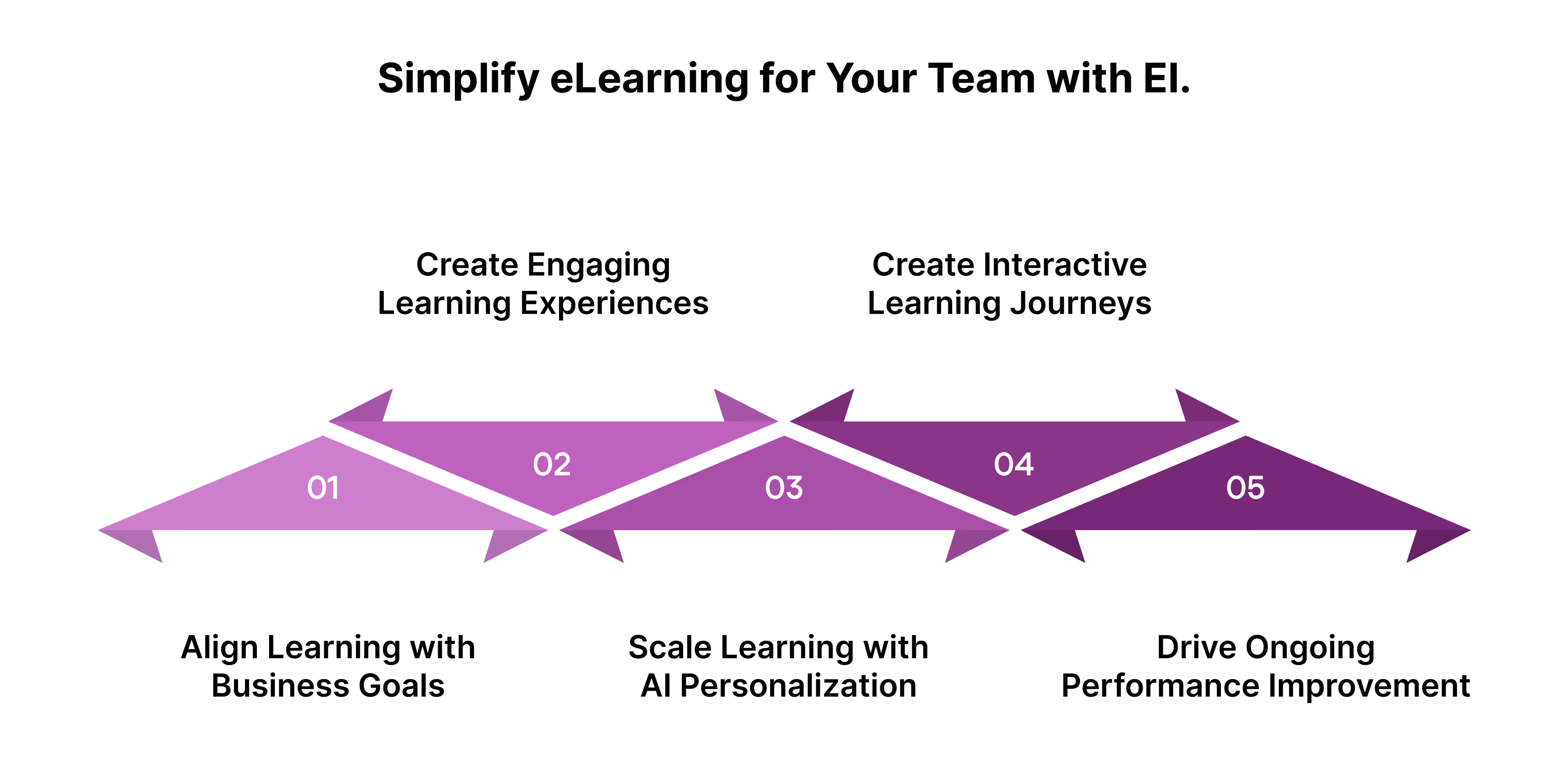
Here’s how EI helps you bring learning to life:
1. Connect Learning to Business Outcomes
Our consultative approach ensures learning isn’t an isolated activity; it’s a lever for business impact.
We map every learning initiative to measurable performance goals such as faster time-to-productivity, higher retention, or improved customer outcomes.
2. Create Emotionally Intelligent Learning Experiences
Learning sticks when it feels personal. We design eLearning content that taps into real emotions, motivations, and challenges, blending storytelling, scenarios, and practical relevance to make training meaningful and memorable.
3. Personalize and Scale with AI-Powered Learning
EI’s adaptive frameworks use data and AI to create dynamic learning paths that adjust to role, experience, and performance.
Each learner receives content that feels tailor-made, ensuring engagement across diverse and global teams.
4. Build Immersive and Interactive Learning Journeys
We combine modalities like gamified learning, AR/VR simulations, microlearning, and story-based design to deliver deep, hands-on engagement. Our immersive approach enables learners to learn by doing, not just consuming content.
5. Drive Continuous Performance Enablement
Our designs extend learning beyond the course, through performance support tools, job aids, and microlearning refreshers that help learners apply knowledge in real time. This sustains capability long after formal training ends.
Conclusion: Turning Learning into Lasting Impact
When learning is emotionally intelligent, aligned to real-world goals, and designed for human connection, it drives measurable outcomes: stronger engagement, faster skill adoption, and higher ROI.
At EI, we help organizations go beyond conventional training. We design learning ecosystems that enable performance, foster belonging, and empower people to grow, turning every learning moment into a business advantage.
Talk to our experts today and learn how you can create eLearning content efficiently for your team.
FAQs on eLearning Content Development
1. What makes eLearning content effective?
Effective eLearning content is purposeful, learner-centric, and measurable. It blends instructional science with interactivity and emotional relevance to help learners apply knowledge on the job.
2. How long does it take to create eLearning content?
Timelines depend on complexity and scope. Simple modules can take 2–4 weeks, while immersive or multi-format courses (like simulations or gamified learning) may require 8–12 weeks. EI’s agile design model accelerates delivery without compromising quality.
3. How can organizations personalize eLearning at scale?
Using AI and adaptive learning frameworks, organizations can tailor learning paths based on role, performance, or behavior. EI helps build scalable personalization strategies that enhance engagement and outcomes.
4. What are the most effective eLearning content types for corporate learning?
Blended formats work best: microlearning, interactive videos, simulations, and gamified modules. The key is aligning content type with learning goals and audience context, not using every format at once.
5. How does EI measure the impact of eLearning programs?
EI utilizes a data-driven impact model, tracking engagement, retention, application, and performance improvement. By linking learning to KPIs, we ensure every initiative drives tangible business results.

subscribing!
Related articles


.jpg)
.jpg)






.jpg)
